

SSL Reminder Emails for Certificate Expiry
(Just Like Let's Encrypt Used To Send)
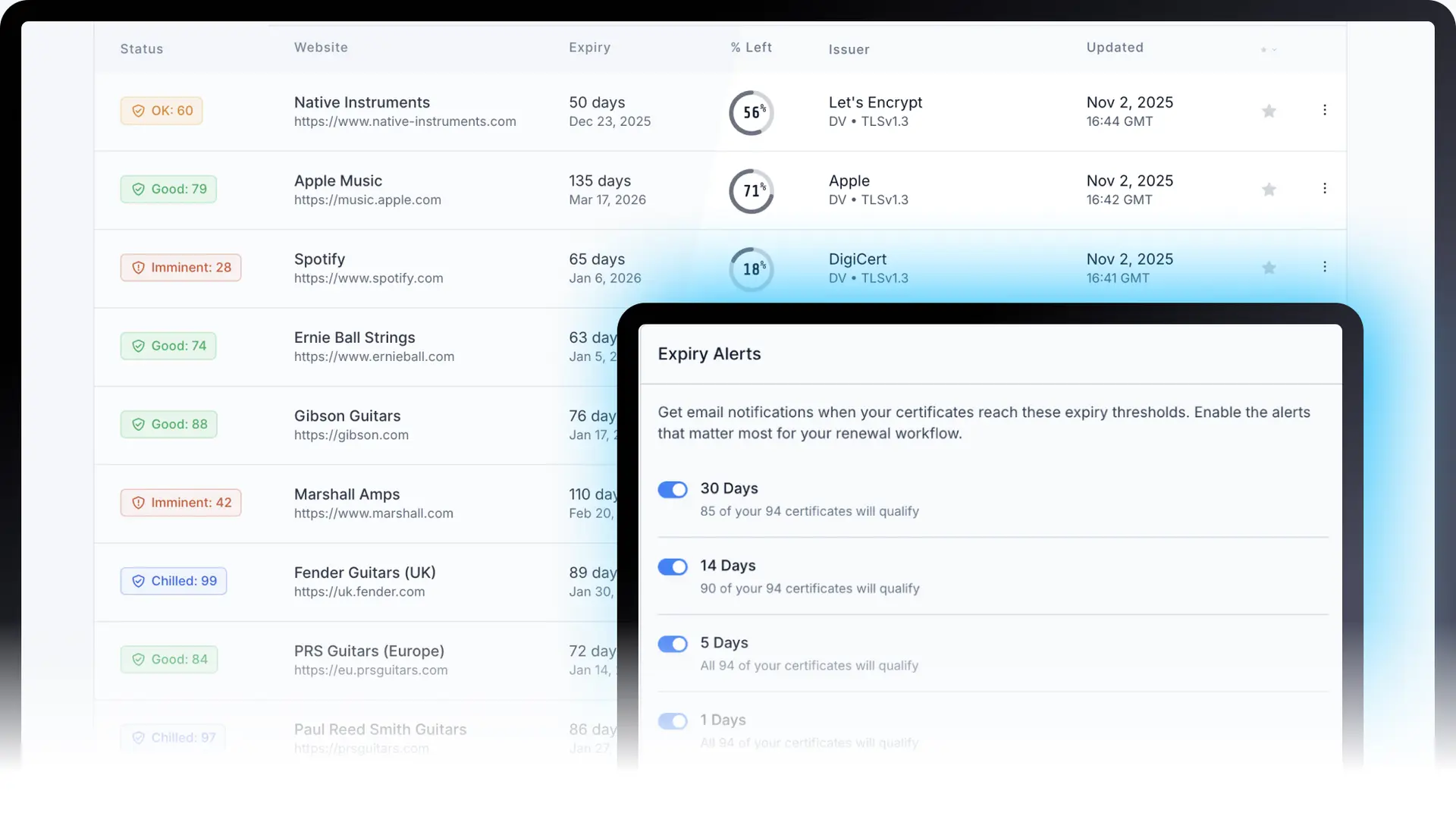
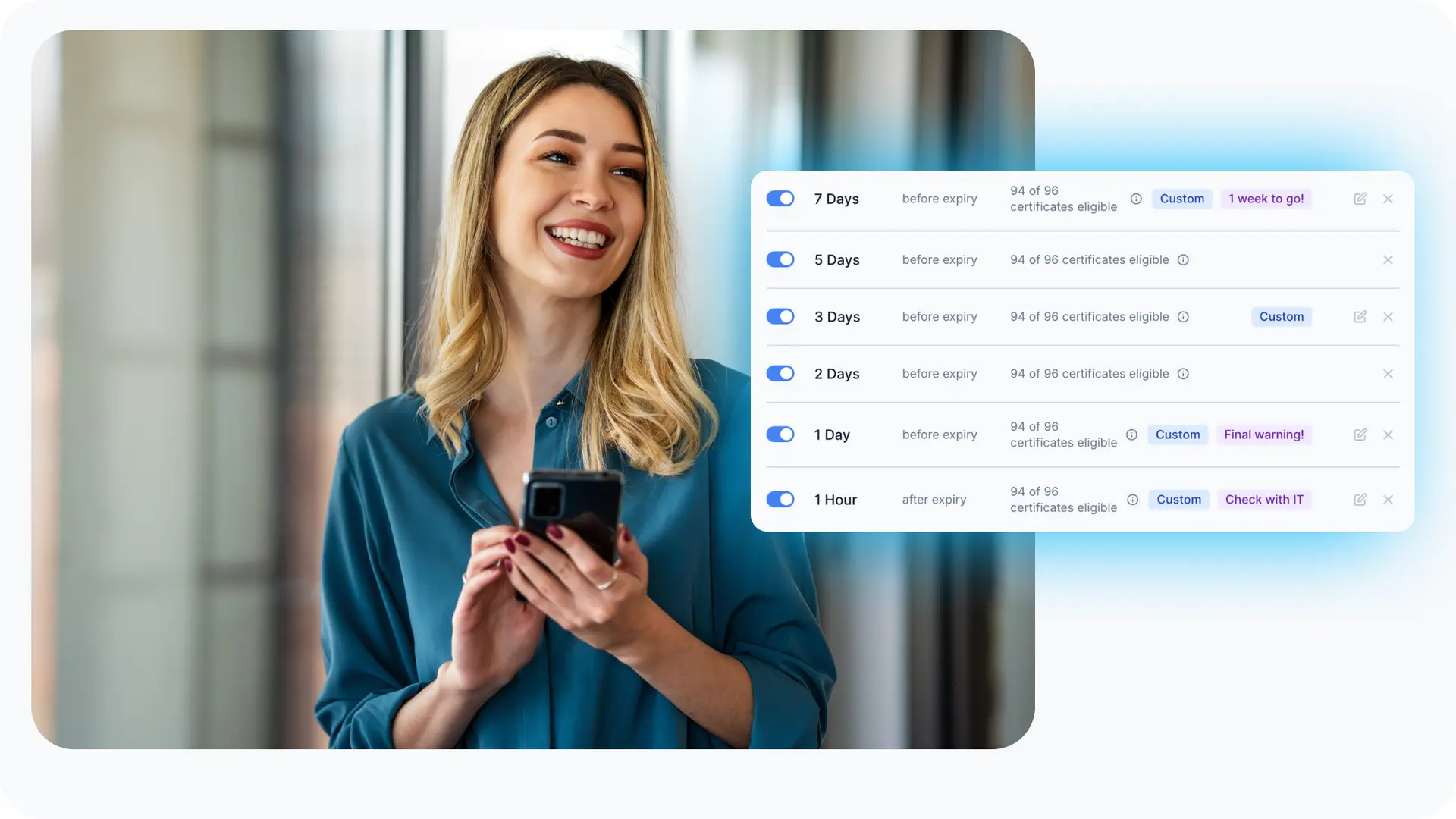
Set SSL reminder emails at any stage of your certificates' lifespan. From 30 days before expiry down to 1 hour. See which certificates qualify before you enable each threshold, so you only get the reminders you need.
Key Benefits
- Expiry notifications before downtime
- See which certificates qualify before enabling alerts
- Prevent alert fatigue with smart qualification counts
- Day-based and hour-based precision timing
How SSL Reminder Emails Work
ChillSSL checks your certificates multiple times a day. When a certificate reaches your chosen reminder point, you'll get an SSL reminder email right away.
Recommended SSL Reminder Thresholds by Certificate Lifespan
Every environment is different. Choose the reminder schedule that fits your certificate type, from 1-year commercial to 6-day Let's Encrypt, or combine them for complete coverage.
1 Year (365 days)
Commercial SSL, Extended Validation
Day-Based Reminders
Early warning weeks or days before expiration
30, 14, 7, 3, 1 days
Hour-Based Reminders
Precise final countdown for tight renewal windows
Optional: 12, 6, 3, 1 hours
90 Days
Let's Encrypt, Free SSL
Day-Based Reminders
Early warning weeks or days before expiration
30, 14, 7, 3, 1 days
Hour-Based Reminders
Precise final countdown for tight renewal windows
Optional: 12, 6, 3, 1 hours
30 Days
Short-lived enterprise certificates
Day-Based Reminders
Early warning weeks or days before expiration
14, 7, 5, 3, 2, 1 days
Hour-Based Reminders
Precise final countdown for tight renewal windows
12, 6, 3, 1 hours
6 Days
Ultra-short Let's Encrypt
Day-Based Reminders
Early warning weeks or days before expiration
6, 3, 2, 1 days
Hour-Based Reminders
Precise final countdown for tight renewal windows
12, 6, 3, 1 hours
Certificate Qualification Counts for Smart Monitoring
See exactly which certificates will be covered or missed by each reminder threshold before you enable it. Essential for mixed-lifespan portfolios where you're monitoring both short-lived (6-day) and long-lived (1-year) certificates. A 30-day reminder will never trigger for a 6-day certificate, so you'll know you need more granular thresholds like 3 days or 6 hours.
Why This Matters
Luke is monitoring a mixed SSL portfolio of 5 short-lived certificates (6-day lifespan), 50 Let's Encrypt certificates (90-day lifespan), and 10 commercial certificates (365-day lifespan).
30-Day Threshold
"60 of your 65 certificates will qualify"
50 Let's Encrypt (90-day) + 10 commercial (365-day)
5 short-lived certificates (6-day lifespan never reaches 30 days)
Add 3-day threshold for short-lived certificates
14-Day Threshold
"60 of your 65 certificates will qualify"
50 Let's Encrypt (90-day) + 10 commercial (365-day)
5 short-lived certificates (6-day lifespan never reaches 14 days)
Add 3-day or 6-hour threshold for short-lived certificates
3-Day Threshold
"65 of your 65 certificates will qualify"
Universal coverage: all certificate lifespans included
Nothing: complete portfolio coverage
No blind spots: every certificate gets a reminder
Key Insight: If Luke just enables 30 or 14 day reminder emails, he might miss crucial reminders for his shorter certificates. But with custom expiry thresholds, he can set a 3 day reminder and capture everything, including his short-lived certs. The qualification count preview shows him exactly which certificates need more granular thresholds before he enables them.
Frequently Asked Questions About SSL Reminder Emails
Get answers to common questions about SSL certificate expiry reminders and threshold alerts.
Related SSL resources
SSL troubleshooting guides
SSL glossary
SSL reminders & notifications
Never Miss an SSL Certificate Expiration
Set up SSL reminder emails tailored to your certificate portfolio to prevent downtime. See which certificates qualify before enabling each threshold.